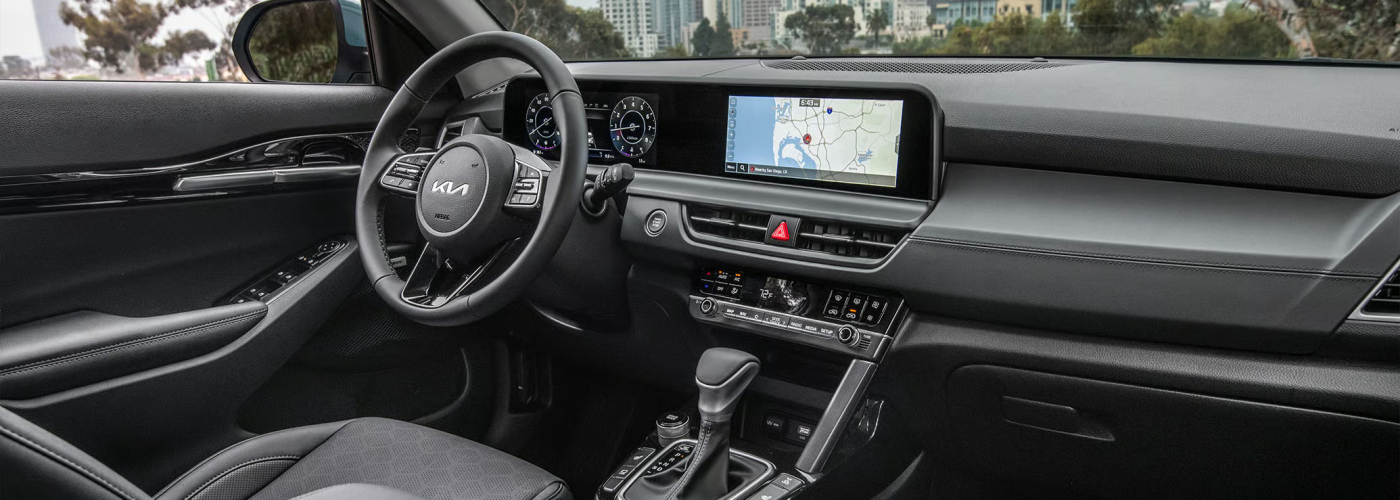
2026 Kia Seltos Interior Front Dashboard View

Everything You Need to Know about Kia Apple CarPlay™

If you’re shopping for a new car in Elk River and wondering, “Does Kia have Apple CarPlay?” the answer is a resounding yes! Apple CarPlay is available on most Kia models, making it easier than ever to stay connected while navigating Highway 101. Whether you’re headed downtown to catch a Vikings game and want hands-free navigation to avoid traffic, or West to Orono Lake and want to connect your custom playlist to match your mood, Apple CarPlay keeps you in control.


How to Connect Apple CarPlay to Your Kia

Setting up Apple CarPlay on Kia Sportage or other models is simple. Here’s a step-by-step guide for Andover drivers:

  1. Enable CarPlay on Your Kia:
    • Press the ‘Setup’ button on your vehicle’s display.
    • Navigate to ‘Connectivity’ and ensure ‘Apple CarPlay’ is turned on.
  2. Connect Your iPhone:
    • Plug your iPhone into the Kia USB port.
    • Your phone will automatically sync, and the CarPlay icon will appear on the vehicle’s display.
  3. Start Using Apple CarPlay:
    • Accept any prompts or agreements, then tap the CarPlay icon to access features like Maps, Messages, and Music.

Whether setting it up on a Sportage or a Soul, getting started with CarPlay is quick and easy.

What Can You Do with Kia Apple CarPlay?

Once you’ve got your Apple CarPlay set up, you’ll enjoy tons of convenient features:

  • Navigation: Use Maps to find your destination or explore nearby points of interest.
  • Calls and Messages: Make hands-free calls and have Siri read or send texts for you.
  • Music and Podcasts: Stream your favorite playlists, albums, or shows while on the go.

How to Update Kia Navigation and Apple CarPlay

Regular updates ensure you’re always getting the most out of Apple CarPlay. Here are the steps to update Kia navigation or tweak your CarPlay settings:

  1. Go to your iPhone’s Settings > General > CarPlay.
  2. Select your Kia model from the list.
  3. Rearrange or remove apps as needed by dragging icons or deleting them.

Find a Car with Apple CarPlay at Cornerstone Kia

Ready to experience all the perks of Kia Apple CarPlay? Find a new car in our inventory that is set up with Apple CarPlay. If you need help connecting to Apple CarPlay, our team is here to help. Stop by today and get on the road with all the necessary tools for a more intelligent, more connected drive.

More from Cornerstone Kia

  • Selecting the Right Kia Service Department in Elk River, MN

    Author: Cornerstone Kia At Cornerstone Kia, we know that keeping your vehicle in top shape is essential for navigating the diverse driving conditions in Elk River, MN, and surrounding areas like Anoka and Coon Rapids. With our certified service department, you can trust that your Kia will receive the expert care it deserves, utilizing genuine…

  • Kia Buying Guide for Elk River, MN

    Author: Cornerstone Kia Finding the perfect Kia for your daily life in Elk River and nearby Anoka, Coon Rapids, Saint Michael, or Albertville doesn’t have to be daunting. At Cornerstone Kia, we understand the unique demands of local drivers-whether it’s navigating snowy roads or planning family outings to our beautiful parks or ERX Motor Park….

  • Finding the Top Kia Dealership in Elk River, MN

    Author: Cornerstone Kia When it comes to purchasing your next Kia, choosing the right dealership is essential for a positive ownership journey. Cornerstone Kia, as detailed on our About page, understands the unique needs of residents in Elk River, Anoka, Coon Rapids, Saint Michael, and Albertville. With a focus on long-term relationships, we aim to…

Cornerstone Kia 45.2808129, -93.5477963.